Tuesday, August 23, 2016

How do I change my IP address?

How do I change my IP address?

How to change your IP address

If you want to change your IP address on your home computer, there are few ways that might work for you—some simple, some not. Before trying more complicated/technical methods described below, you can try something that's very easy.

  • Simply turn off or unplug your modem for about five minutes. (You don't have to turn your computer off.) In many cases this alone will change your IP address when you go back online.
  • If that doesn't work, try unplugging your modem overnight and checking your IP address the next morning.

To check the IP address you're currently using, simply go to our homepage. Hopefully one of these simpler steps will give you the result you wanted.

Have laptop, go mobile

If you have a laptop, you can switch to a new IP address very easily, if only temporarily—but you can do it anytime you want.

Just go to any coffee shop, bookstore or other place that offers free wireless Internet (Wi-Fi®). Your IP address will automatically change because you'll be using a different Internet connection to send email or join chat rooms.

How about a proxy?

If you're trying to change your IP address primarily because you want to access web-based forums, you may wish to look into using a proxy server. Learn more by reading our article on proxies.

What next?

If you're not the technical type, contact your Internet service provider (ISP) and ask them if they are able to change your IP address or how long your connection needs to be off for your IP address to change.

If you're up for more-advanced methods, and you use Windows, try the steps below and see if your IP address changes.

For Windows users

- Computer connected directly to a cable or DSL modem
  1. Get to a command prompt. (START, run, cmd).
    Start Menu Run Box
  2. Type "ipconfig /release" (without the quotes, on the command line by itself).
  3. Shut down computer.
  4. Turn off computer.
  5. Turn off all ethernet hubs/switches.
  6. Turn off cable/DSL modem.
  7. Leave off overnight.
  8. Turn everything back on.

For networks using a Router

  1. Log into the router's admin console. (Often http://192.168.1.1/)
  2. Release the IP address (method varies by router manufacturer)
  3. Turn off router, ethernet hubs/switches, and the cable/DSL modem
  4. Leave off overnight
  5. Next day, turn everything back on

If you are using a cable/DSL modem and a router, you may wish to connect your computer directly to the cable/DSL modem. Please note that this could significantly impact your system security.

If you have a router and you're still not having any luck, check to see if there is a "Clone MAC Address" option. Using it should change your IP address; however, in most cases you'll only be able to do it once.

If this does not answer your question, please visit the change IP address forum.

Related Articles


^ed 

How to Remove an IP Address from a Blacklist

How to Remove an IP Address from a Blacklist

(Go to our Blacklist Check page to find out if your IP address is listed on an anti-spam database. This article explains why that happens and how to get off a blacklist.)

Each blacklist database has its own criteria for flagging IP addresses and compiling its own list of online offenders. Those criteria could include a variety of "listings": technical, policy, and evidence-based.

  • Technical listings occur mostly from mail-server configuration issues, such as missing or incorrect reverse DNS records, missing or incorrect banner greetings, and mail servers operating within a suspicious range of IP addresses.
  • Policy listings are based on an operator that does not wish to receive email from certain countries, or ISPs, that have a history of not honoring "unsubscribe" requests.
  • Evidence-based listings are those where the operator has received direct (or indirect) evidence that an IP address has been involved in sending unsolicited emails.

If your IP address has been blacklisted and you want to investigate, you'll need to visit the blacklist's website and do a lookup on your IP address. Most blacklist databases will provide general listing reasons, but don't list specific email addresses tied to blacklisted IP addresses.

Getting "unblacklisted."

If you're able to find out why you were blacklisted, you can try to get it reversed. (You may want to work with someone who is technically savvy to better help you.)

To start with, take time to ensure your network and mail server are configured correctly and all the details are in order for resolving the issues, as prescribed by the blacklist. For example, they may ask you to correct both forward and reverse DNS records, as well as SMTP banners. In addition, you can do the following:

  • Scan all computers on your network for viruses
  • See if there are any known and needed "patches" (updates and fixes) for your operating system
  • Configure routers more securely
  • Establish and enforce stronger passwords

Following the blacklist-removal process.

You want to be removed from any blacklists because databases often share IP addresses that have been listed. If you think you've fixed things on your end, go back to the blacklist's site and follow their instructions for the IP address removal process. Here's what you're likely to come across:

  • Self-Service Removal. There are a few blacklists with a self-service removal feature that lets you take your IP address off the list without much trouble. However, you'll want to make sure you've resolved any issues before doing this. If you don't and your IP address gets listed again, it won't be easy to get it removed that next time.
  • Time-Based Removal. Most blacklists have a built-in, automatic process that removes lower-level listings (IP addresses that are light offenders) within a week or two. But if the IP address had sent spam more than once or did a high volume, the time period will be longer.

Be nice...and see what happens.

When you're trying to get off a blacklist, you'll get farther along if you follow the rules and cooperate. If you are truly innocent of any deliberate wrongdoing (or if you made an honest mistake), let them know. The more open and direct you are with a listing database, the simpler it may be to have your IP address taken off the blacklist.

Keep this in mind:

  1. Their priority is to reduce the spam on their email platform for their customers—their goal isn't to prevent you from sending emails.
  2. Spam is a serious problem. They don't blacklist lightly. It's their way of trying to identify and prevent real problems.
  3. Blacklists are legal because they are designed to prevent fraud or other activity that disrupts normal business. We all need to accept that fact.
  4. If you made a mistake and were blacklisted, don't make the same mistake again. You likely won't be forgiven a second time.

You might be able to resolve any blacklist issues online. If not, and the blacklisting is troublesome for you, consider contacting the list by phone and try to resolve the issue that way.

Related Articles


^ed 

China in focus as cyber attack hits millions of U.


China in focus as cyber attack hits millions of U.S. federal workers


WASHINGTON (Reuters) - Hackers broke into U.S. government computers, possibly compromising the personal data of 4 million current and former federal employees, and investigators were probing whether the culprits were based in China, U.S. officials said on Thursday.

Cyber investigators linked the breach to earlier thefts of healthcare records from Anthem Inc, the second largest U.S. health insurer, and Premera Blue Cross, a healthcare services provider.

In the latest in a string of intrusions into U.S. agencies' high-tech systems, the Office of Personnel Management (OPM) suffered what appeared to be one of the largest breaches of information ever on government workers. The office handles employee records and security clearances.

A U.S. law enforcement source told Reuters a "foreign entity or government" was believed to be behind the cyber attack. Authorities were looking into a possible Chinese connection, a source close to the matter said.

A Chinese Foreign Ministry spokesman said such accusations had been frequent of late and were irresponsible. Hacking attacks were often cross-border and hard to trace, he said.

The FBI said it was investigating and aimed to bring to account those responsible.

Several U.S. states were already investigating a cyber attack on Anthem in February that a person familiar with the matter said is being examined for possible ties to China.

John Hultquist of Dallas-based iSight Partners told Reuters that the latest attack on OPM and the earlier breaches at Anthem and Premera Blue Cross appear to have been the work of cyber espionage hackers working on behalf of a state, not those focused on cybercrime.

He said they may have widened their net to gather personally identifiable information for more elaborate, finely-tuned attacks in the future. "This is usually done by criminals, but based on their behavior, we believe these are espionage actors," said Hultquist.

MALICIOUS ACTIVITY

OPM detected new malicious activity affecting its information systems in April and the Department of Homeland Security said it concluded at the beginning of May that the agency's data had been compromised and about 4 million workers may have been affected.

The agencies involved did not specify exactly what kind of information was accessed.

The breach hit OPM's IT systems and its data stored at the Department of the Interior's data center, a shared service center for federal agencies, a DHS official said on condition of anonymity. The official would not comment on whether other agencies' data had been affected.

OPM had previously been the victim of another cyber attack, as have various federal government computer systems at the State Department, the U.S. Postal Service and the White House.

Chinese hackers were blamed for penetrating OPM's computer networks last year, and hackers appeared to have targeted files on tens of thousands of employees who had applied for top-secret security clearances, the New York Times reported last July, citing unnamed U.S. officials.

"The FBI is working with our inter-agency partners to investigate this matter," the bureau said in a statement. "We take all potential threats to public and private sector systems seriously, and will continue to investigate and hold accountable those who pose a threat in cyberspace."

The U.S. government has long raised concerns about cyber spying and theft emanating from China and has urged Beijing to do more to curb the problem.

Chinese Foreign Ministry spokesman Hong Lei told a regular daily news briefing in Beijing that China hoped the United States would have more trust and cooperate more.

"Without first thoroughly investigating, always saying that 'it's possible', this is irresponsible and unscientific," said Hong.

There was no comment from the White House.

Since the intrusion, OPM said it had implemented additional security precautions for its networks. It said it would notify the 4 million employees and offer credit monitoring and identity theft services to those affected.

RASH OF ATTACKS

"The last few months have seen a series of massive data breaches that have affected millions of Americans," U.S. Representative Adam Schiff, the ranking Democrat on the House Permanent Select Committee on Intelligence, said in a statement.

Tens of millions of records may have been lost in the attacks on Anthem and Premera Blue Cross.

iSight's Hultquist said similar methods, servers and habits of the attackers pointed to one state-sponsored group being responsible for all three breaches.

The largest federal employee union said it was working with the administration to ensure measures were taken to secure the personal information of affected employees. "AFGE will demand accountability," American Federation of Government Employees President J. David Cox Sr. said in a statement.

In April, President Barack Obama responded to a growing rash of attacks aimed at U.S. computer networks by launching a sanctions program to target individuals and groups outside the United States that use cyber attacks to threaten U.S. foreign policy, national security or economic stability.

The move followed indictments of five Chinese military officers who were charged with economic espionage. U.S. officials also pointed the finger directly at North Korea for a high-profile attack on Sony over a film spoof depicting the assassination of North Korea's leader.

China has routinely denied accusations by U.S. investigators that hackers backed by the Chinese government have been behind attacks on U.S. companies and federal agencies.

U.S. military officials have become increasingly vocal about cyber espionage and attacks launched by China, Russia and other rivals. A Pentagon report in April said hackers associated with the Chinese government repeatedly targeted U.S. military networks last year seeking intelligence.

(Additional reporting by Doina Chiacu, Mark Hosenball, Peter Cooney and Jeff Mason; Writing by Matt Spetalnick; Editing by David Gregorio and Alex Richardson)


^ed 

About backups for iOS devices - Apple Support

About backups for iOS devices - Apple Support

About backups for iOS devices

Decide which method is best for you

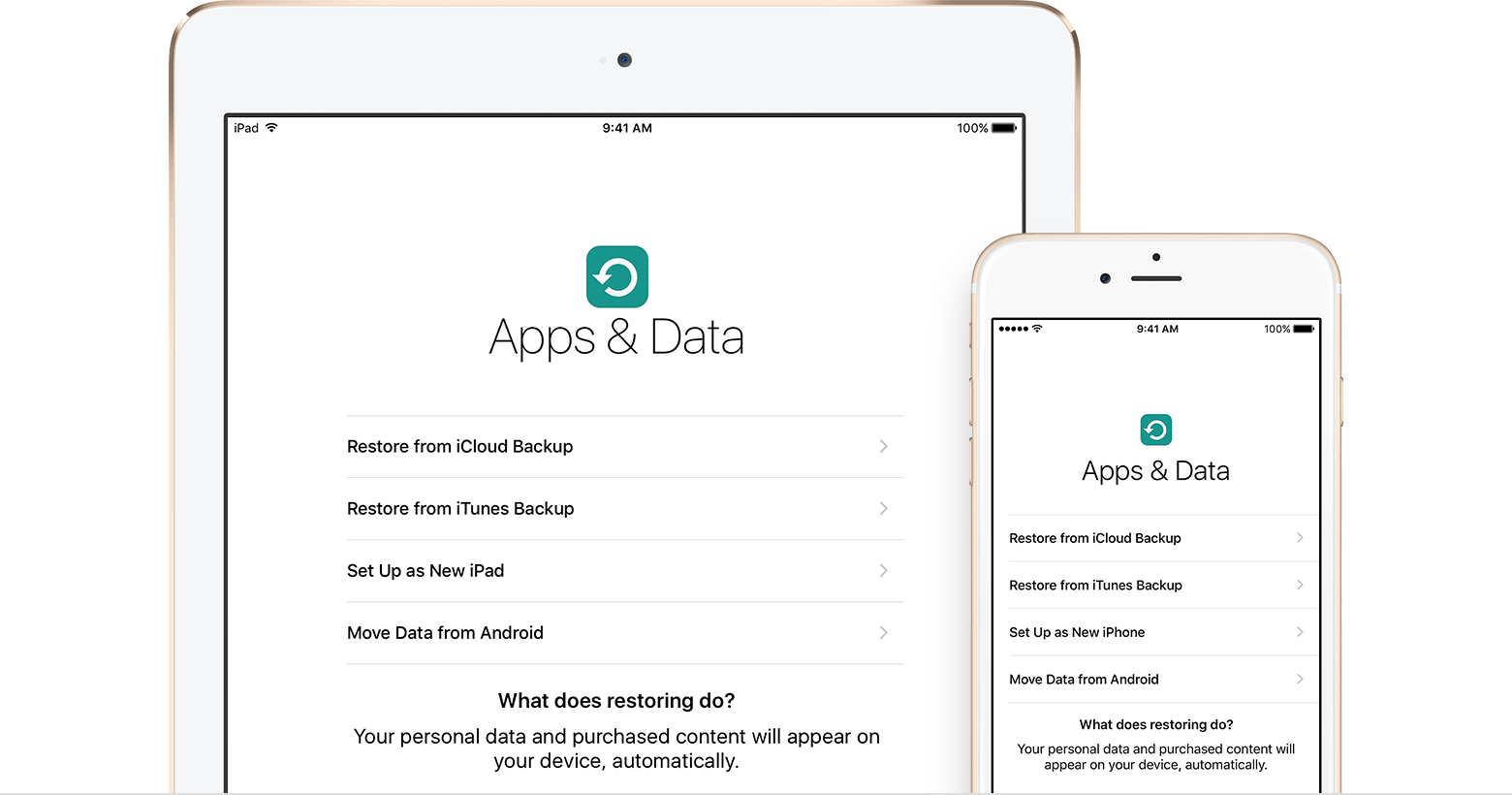
This article can help you decide which backup method is best for you. In case you ever need an alternative backup, you can make a backup in iCloud and another in iTunes.

iCloud backups

With a Wi-Fi network connection, you can make a backup of your device using iCloud. You don't need to plug your device into a computer or even be at home to back up with iCloud. 

iCloud backups include nearly all data and settings stored on your device. iCloud backups don't include:

  • Data that's already stored in iCloud, like Contacts, Calendars, Notes, My Photo Stream, and iCloud Photo Library
  • Data stored in other cloud services, like Gmail and Exchange mail
  • Apple Pay information and settings
  • Touch ID settings
  • iCloud Music Library and App Store content (If it's still available in the iTunes, App, or iBooks Store, you can tap to re-download your already purchased content.)

Learn how to make an iCloud backup or how to manage iCloud storage and delete backups that you no longer need.

iTunes backups

From your Mac or PC, you can make a backup of your device in iTunes. Syncing your device with your computer isn't the same as making a backup. An iTunes backup includes nearly all of your device's data and settings. An iTunes backup doesn't include:

  • Content from the iTunes and App Stores, or PDFs downloaded directly to iBooks (You can back up this content using Transfer Purchases in iTunes.)
  • Content synced from iTunes, like imported MP3s or CDs, videos, books, and photos
  • Photos already stored in the cloud, like My Photo Stream, and iCloud Photo Library
  • Touch ID settings
  • Apple Pay information and settings
  • Activity, Health, and Keychain data (To back up this content, you'll need to use Encrypted Backup in iTunes.)

Learn how to make backups in iTunes, how to find them on your Mac or PC, and how to delete backups that you no longer need.

Can I use my device's backup for another kind of device, like an iPhone backup for an iPad?

While you can restore a device from a backup of another kind of device, like using an iPad backup for an iPhone, certain types of content won't transfer. This content includes photos, Messages, attachments in Messages, Voice Memos, and apps that aren't compatible with the device that you're setting up. For example, apps compatible only with iPad won't transfer to your iPhone.


^ed

Twitter Security Do’s and Don’ts

Twitter Security Do's and Don'ts

Twitter Security Do's and Don'ts

By Alexander Moya Barquero of Tecnovits. Follow him @twivits.

twitter-securityTwitter can be dangerous. That being said, Twitter is fun, useful, informative and overall entertaining; in this guest post I'd like to build upon my previous post 11 Useful Twitter Tools That Don't Require Your Password and talk a little about security do's and don'ts.

Twitter has become the place for events that are happening now, however with great technology, comes great responsibility. The following list contains a few basic measures we can take to ensure Twitter remains safe and fun:

Security Don'ts:

  1. Never use your password on suspicious third party sites, hundreds pop up everyday and we can not know for sure witch ones are legit.
  2. Don't be too specific: there's a big difference between "Just bought a gazillion caret ring on XX Avenue, leaving store now" and "Just bought and engagement ring, wish me luck!"
  3. On that note, say it, don't spray it: Don't spit excessive personal information, this is about as dangerous on Twitter as it is on any other social network.
  4. Call the police, don't tweet about it!: inspired by recent news involving celebrity blogger Perez Hilton and Black Eyed Peas front man Will.I.Am.
  5. Don't tweet about moving servers, changing passwords or any other type of situation where your security could be compromised more easily.

Security Do's:

  1. There are hundreds of twitter tools everywhere, so try to use oath whenever possible (Oauth lets third party tools access your twitter's information in a safe way as long as you're logged on Twitter). In your Twitter Settings you can manage witch applications have access to your data and which don't in the Connection tab.
  2. Choose a strong password: Twitter's famous attacks have been known to start by a hacker guessing someone's password. I recommend using a strong password generator.
  3. Do use direct messages when appropriate, not everything is meant to be said in the wild.
  4. Consider having a private separate account for work or project related purposes.
  5. Finally, have fun! It's not about being paranoid .)

What other security do's and don'ts would you recommend? Share those important tips with us on the comment section!

[image credit: seanmcgrath]


^ed